Most teams already pay for task software nobody opens. Real-time triggers only work when they land where your crew already types: WhatsApp. The pricing question is whether you pay per user, per trigger, or a flat rate.
This guide breaks down the three common pricing models, explains why WhatsApp-native automation costs less than standalone tools, and shows exactly what Tasks.Bot charges per member. You will finish knowing which plan fits your team and whether the annual discount is worth committing to.
What Is Tasks.Bot? Real-Time Trigger Automation via WhatsApp
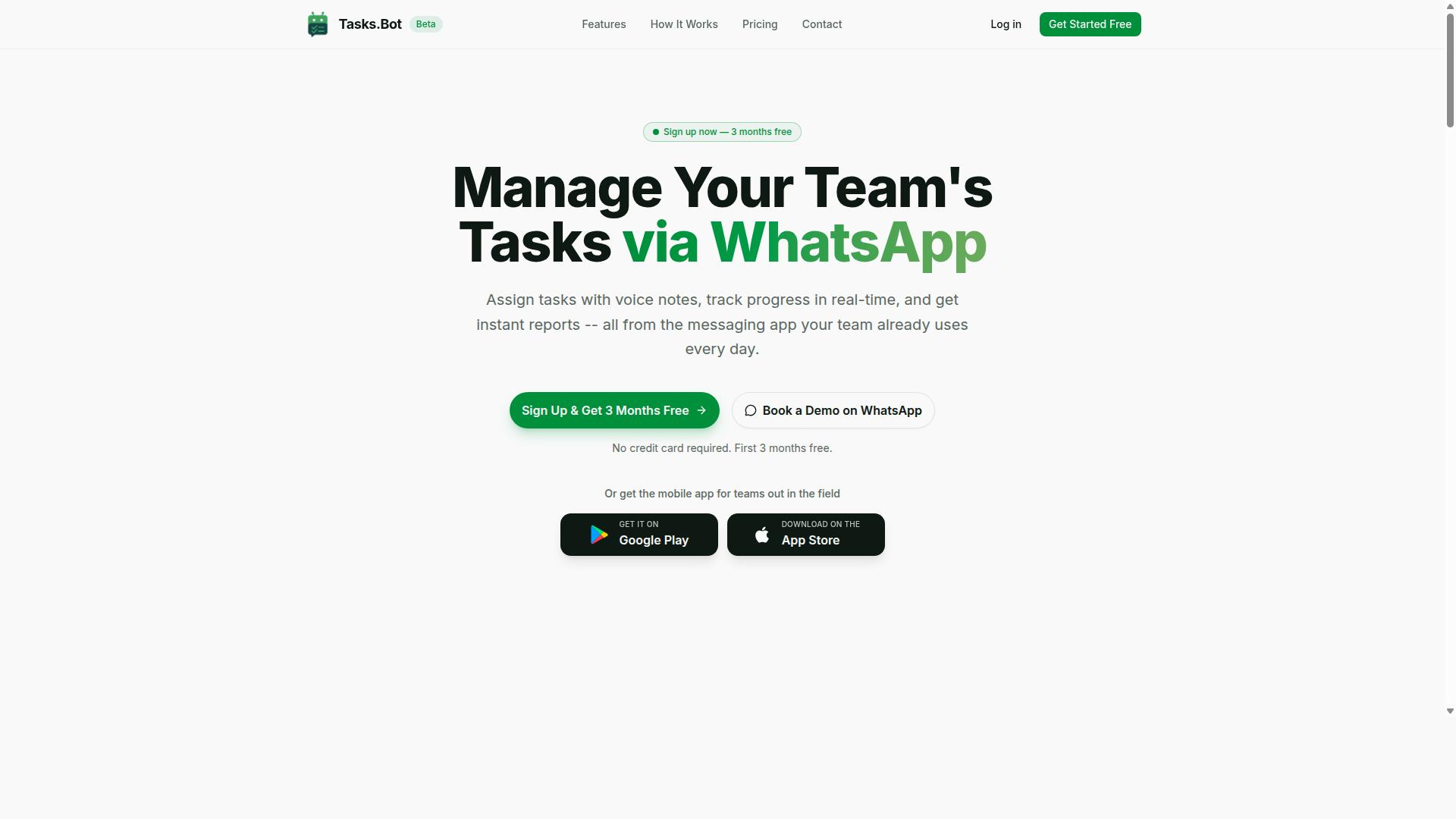
Tasks.Bot is a task management platform that operates entirely within WhatsApp, enabling teams to assign tasks, track progress, and receive reports without leaving the messaging app. Instead of asking staff to learn a new dashboard, it turns the chat tool they already open every day into the place where work gets created, tracked, and closed out.
That design choice matters because real-time trigger automation depends on speed. A trigger-based system fires an action the moment a defined event or condition occurs, which is why low-latency processing and instant response sit at the center of any workflow automation tool. When the interface is already on the user's phone, the gap between event and action shrinks.
Tasks.Bot leans on AI to interpret natural language and voice notes for task creation, so a message typed or spoken in plain words can become a structured task. It also supports approvals and automations, the building blocks of event-driven architecture. A rule can watch for a condition and route the next step automatically, which is what separates a trigger-based system from a simple to-do list.
The platform also offers a mobile app for field teams, which extends the same logic to people who are not sitting at a desk. Teams already running on WhatsApp tend to adopt it fastest, particularly those managing field staff who need attendance tracking and payroll-ready hours. The service is currently in beta and offers a free trial period, so evaluating fit costs nothing but time.
For a pricing guide, this context matters. Understanding what a platform actually does tells you which cost lines to expect later: per-user pricing for seats, usage-based pricing for volume, and tiered plans that scale with headcount. A tool built on WhatsApp removes some integration expense and onboarding friction that other automation platforms carry, because there is no separate account for staff to adopt and no new app to train them on.
What Should You Expect to Pay for Real-Time Trigger Automation Software?
Real-time trigger automation software typically ranges from $10 to $50 per user per month for basic plans, with enterprise solutions often exceeding $100 per user. That wide spread reflects how differently vendors package the same core capability: watching for an event and firing an action the moment it happens.
What you actually pay depends on a handful of variables. The size of your team drives per-user pricing. The volume of events you process drives usage-based pricing. The number of systems you connect, from CRM platforms to messaging apps, drives integration expense. Add onboarding, training, and ongoing support, and the sticker price rarely tells the whole story.
This pricing guide breaks down the common cost structures so you can compare quotes on equal footing. The goal is simple: understand what each model rewards, what it punishes, and which one fits how your team actually works. Real-time trigger automation is not a commodity purchase, and a cheap plan that stalls under volume can cost far more than a higher-tier plan that scales cleanly.
Typical Pricing Models: Per-User, Per-Trigger, and Flat-Rate Plans
Most automation platforms charge per user, per trigger, or offer flat-rate tiers, each with distinct implications for cost predictability. Understanding these models is the first step toward an accurate budget.
Per-user pricing is the most familiar subscription model. A basic seat might run around $15 per user per month, with tiered plans unlocking more triggers, integrations, or workflow steps. Costs scale linearly with team size, which is predictable but can sting when you want to give occasional users access.
Per-trigger or per-event billing charges for activity rather than seats. A platform might include a free tier of events, then charge roughly $0.01 per event beyond it, or bill by API call. This rewards light usage but makes forecasting harder, since a spike in customer engagement or a busy sales cycle can inflate the bill without warning.
Flat-rate plans charge one fee, often around $99 per month, for unlimited users and a defined event allowance. Simplicity is the appeal: one line item, no per-seat math. The trade-off is paying for capacity you may not use during quiet months.
Many vendors combine models, layering per-user pricing with overage fees for extra events or integrations. When comparing quotes, ask three questions:
- What happens when we exceed the included trigger volume?
- Are integrations billed separately or bundled?
- Do read-only or occasional users need paid seats?
Map your expected event volume and team growth against each structure before signing. The cheapest headline rate is rarely the cheapest total cost.
Why WhatsApp-Native Automation Costs Less Than Standalone Tools
WhatsApp-native automation reduces costs by eliminating the need for separate apps, user accounts, and extensive training, leveraging an interface teams already use daily. That difference shows up across the entire cost structure, not just the subscription line.
Standalone automation platforms carry hidden layers of total cost of ownership. Per-user licenses multiply as adoption grows. Implementation and onboarding fees cover setup and configuration. Training sessions pull staff away from their work. IT operations teams absorb integration expense and maintenance charges for yet another system to secure, patch, and support.
A WhatsApp-native approach, such as Tasks.Bot, sidesteps much of that overhead because it lives inside an app people already have open. There is no new interface to learn, which shortens onboarding and reduces the training burden. Fewer separate accounts mean less administrative work for IT. The result is a lower effective cost per user and, just as importantly, higher adoption, since the barrier to trying a new workflow is a familiar chat window rather than a new dashboard.
When you evaluate automation platform quotes, compare more than the monthly fee. Add up seats, setup, training hours, integration work, and ongoing support. A tool that looks cheaper on paper can cost more once those line items land. Native delivery changes the math in your favor.
Tasks.Bot Pricing: Full Access at ₹200 per Member per Month
Tasks.Bot offers a single 'Full Access' plan at ₹200 per member per month, with all features included and no hidden tiers. That simplicity matters in a market where real-time trigger automation pricing is often split across confusing tiers, add-ons, and usage meters.
At roughly $2.50 USD per member, Tasks.Bot keeps its subscription model predictable. You pay for people, not for events, API calls, or workflow runs. The verified facts mention no usage limits, so the plan is best understood as a flat per-user rate rather than a metered one.
Pricing is available in both Indian Rupees and US Dollars. The site shows a 'Select currency' option with Indian Rupee and US Dollar choices, so it is worth confirming your currency before you decide.
Compare that to typical per-user costs in the automation space. Many automation platforms charge considerably more per seat, and several add per-event billing or tiered plans on top of the base fee. Tasks.Bot's flat-rate fee avoids that layered cost structure entirely.
For a small team, the math is easy to follow. Five members on the monthly plan come to ₹1,000 per month, with every feature available from day one. There is no upgrade path to worry about and no feature locked behind a higher tier.
Annual Plan: ₹1,200 per Year per Member (Save 50%)
The annual plan costs ₹1,200 per member per year, equivalent to ₹100 per month and a 50% saving compared to monthly billing. In USD terms, that works out to about $15 per member per year.
The saving is straightforward. Twelve months at the monthly rate would total ₹2,400 per member, so committing annually cuts ₹1,200 per member per year. For a team of ten, that difference adds up quickly across a budget cycle.
Annual commitment also helps with planning. A single yearly figure is easier to slot into a software budget than twelve recurring charges, and it removes the risk of a mid-year price change affecting your spend. Finance teams generally prefer this kind of flat-rate fee because it is simple to forecast.
Importantly, the annual plan is still priced per member. That means the cost structure scales with your team rather than with your activity. Adding a member adds a fixed yearly amount, not an unpredictable usage charge.
This per-user model is a good fit for teams that run a lot of automation. If your trigger-based workflows fire frequently, a per-event or per-API-call model can become expensive fast. Tasks.Bot's approach keeps scalability cost tied to headcount instead.
Before choosing annual billing, confirm the currency you are paying in. The platform supports both INR and USD, and the displayed amount should match your selected option.
3 Months Free - No Credit Card Required
Tasks.Bot offers a 3-month free trial with no credit card required, allowing teams to test the platform risk-free. This is one of the clearest differentiators in its pricing, because it removes both the cost and the commitment barrier at the same time.
No credit card requirement is significant. Many automation tools ask for payment details upfront, which makes it easy to end up on a paid plan by accident. Here, the trial does not put your card on file, and the brand states you can cancel anytime.
Three months is also a practical evaluation window. Real-time trigger automation and event-driven architecture take time to assess properly. A short trial rarely shows how a platform behaves once your rules, automations, and integrations are fully in place.
During those three months, teams can judge whether Tasks.Bot fits their workflow automation needs. That could mean marketing automation, sales automation, IT operations, or DevOps tooling. The point is to test real scenarios rather than a demo.
After the trial ends, you choose between the monthly plan at ₹200 per member per month or the annual plan at ₹1,200 per member per year. There is no obligation to continue, and no penalty for walking away.
For buyers comparing automation platforms, this structure lowers the risk of a bad decision. You can evaluate the tool, measure how it handles low-latency processing and instant response, and only then commit budget. That is a fair way to price software, and it makes Tasks.Bot easy to recommend for a first look.
Key Features Included in Tasks.Bot's Price
Tasks.Bot's Full Access plan includes all features, from voice note task creation to face-verified attendance, without additional charges. That single-price approach matters in a market where real-time trigger automation platforms often split capabilities across tiered plans, per-user pricing, or usage-based add-ons.
With Tasks.Bot, the subscription model is straightforward. There is no separate fee for automation, no premium tier that unlocks reporting, and no per-event billing for triggers. Everything the platform offers sits inside one plan.
The feature set falls into four broad categories:
- Task management: voice note task creation, automatic task assignment, and smart deadline reminders
- Attendance: face-verified attendance plus shifts, leave, and hours management
- Reporting: instant reports, a live day tracker, and tasks on a map
- Automation: approvals and automations
This structure keeps the cost structure predictable. Buyers comparing workflow automation platforms often face onboarding fees, integration expenses, or maintenance charges layered on top of the base license. Tasks.Bot avoids that fragmentation by bundling its native WhatsApp integration, Android and iOS apps, push notifications, voice capture, and home screen widget into the same plan.
The next two sections break down what each of those features actually does, so you can judge whether the flat-rate fee covers the capabilities your team needs.
Voice Note Task Creation, Smart Deadline Reminders, and Approvals
Users can create tasks via voice notes, set smart deadline reminders, and configure approval workflows directly in WhatsApp. The platform uses AI to understand user intent and create tasks from messages, which removes the friction of typing out details on a phone.
Voice note task creation is the entry point. Instead of filling out a form, a team member speaks a message and the system interprets it as a task. This matters for field teams and mobile workers who need a low-latency way to log work as it happens.
Smart deadline reminders handle follow-through. Rather than relying on someone to chase assignees manually, the platform notifies them automatically. That is the trigger-based behavior buyers expect from real-time trigger automation, delivered inside a messaging app rather than a separate dashboard.
Approvals and automations add conditional logic. A workflow can branch based on task state, for example escalating when a task is not completed. This is the same rule-based thinking behind event-driven architecture in larger automation platforms, scaled down to everyday team operations.
All three capabilities sit inside the Full Access plan. There is no automation surcharge, no charge per trigger fired, and no premium tier required to unlock approvals. For teams weighing a pricing guide against real budgets, that bundling removes a common source of surprise costs.
Face-Verified Attendance, Live GPS Tracking, and Instant Reports
Tasks.Bot includes face-verified attendance, live GPS tracking for field staff, and instant reports for real-time oversight. These features are part of the Full Access plan at no extra cost.
Face-verified attendance strengthens accuracy. Attendance records tied to facial verification are harder to falsify than simple check-ins, which matters for teams managing shifts, leave, and hours. The platform pairs this with shifts, leave, and hours management in the same plan.
Live GPS tracking gives visibility into where field staff are working. Tasks on a map turn location data into something operational rather than abstract, useful for dispatch, route planning, and confirming that on-site work is happening when it should.
Instant reports close the loop. Instead of waiting for a weekly summary, managers can review task status and attendance as events occur. Combined with the live day tracker, this supports the kind of real-time data view that operations teams need to respond quickly.
For organizations with field staff, these three features often justify the subscription on their own. In many automation platforms, GPS tracking or attendance verification would be a separate module with its own line item. Here, they are included.
Tasks.Bot serves teams that want real-time trigger automation without the layered pricing that usually comes with it. One plan, one flat-rate fee, and every feature described above available from day one.
Who Should Use Tasks.Bot - and What They'll Pay
Tasks.Bot is designed for teams that already use WhatsApp, especially those with field staff needing task management, attendance tracking, and payroll-ready hours. Instead of forcing a whole new app onto a crew that lives in chat, it meets people where they already work.
The result is a low-friction automation platform for real-time trigger automation. Tasks, attendance, and hours flow from the same channel your team already checks every day, so adoption tends to be faster than with tools that demand a separate login.
Because pricing is per member, the cost structure scales cleanly with your headcount. You pay for the people who actually use the system, not for a bloated enterprise license you will never fully deploy.
Below is a look at who gets the most value, how per-user pricing plays out across team sizes, and why there are no add-on fees to plan around.
Teams That Get the Most Value
The core audience is small to medium teams running people in the field. If your staff clock in from job sites, client offices, or delivery routes, the combination of task management, attendance tracking, and payroll-ready hours covers the essentials in one place.
Field operations teams benefit most directly. Supervisors assign work, staff confirm completion, and hours accumulate for payroll without a separate timesheet scramble. That is workflow automation applied to the daily grind rather than to a demo.
Sales teams also fit well. When a rep needs a follow-up logged or a task triggered by a customer message, a trigger-based system keeps the handoff inside WhatsApp instead of scattered across email threads. This supports lead nurturing and customer engagement without extra tooling.
IT operations and DevOps-adjacent teams with on-call staff can use the same model for task routing and shift tracking. The platform is not a heavy event-driven architecture product, but it handles the practical side of coordinating people who respond to requests throughout the day.
The site notes that hundreds of teams already use the service, which suggests the fit is broad rather than niche.
How Per-Member Pricing Works Across Team Sizes
Tasks.Bot uses a straightforward subscription model: you pay per member. That makes budgeting predictable because your monthly cost tracks directly with the size of the team you are managing.
For a 10-person team, the cost is ₹2,000 per month or ₹12,000 per year. The annual option works out to the same effective monthly rate, so the choice is really about cash flow preference rather than a hidden discount structure.
Larger teams simply multiply the per-member rate. A 25-person crew scales proportionally, and a 50-person operation scales again from there. There is no tiered plan cliff where you suddenly jump to enterprise licensing because you crossed a headcount threshold.
This matters for scalability cost planning. Adding a new field hire means adding one more member seat, not renegotiating a contract or buying a block of unused licenses. Shrinking the team works the same way in reverse.
For teams weighing per-user pricing against per-event billing or usage-based pricing, the per-member model is easier to forecast. You know your headcount at the start of the month, so you know the bill.
What Is Included at No Extra Charge
One of the clearest points in the pricing guide is what you do not pay extra for. There are no additional fees for features or integrations. The per-member rate covers the functionality rather than gating it behind upsells.
That removes several cost lines that often surprise buyers of automation software:
- No implementation cost or onboarding fee to get started
- No integration expense for connecting the tools your team already uses
- No separate maintenance charge to keep things running
- No premium support plan required to access core features
- No API call pricing or per-event billing meters to monitor
For a small business, this flat-rate fee approach is a significant advantage. You can plan a single monthly figure and stop worrying about whether a busy week will trigger overage charges.
The absence of an integration expense is especially relevant for teams that depend on real-time data moving between systems. When connecting your existing workflow does not add cost, you are more likely to actually automate the handoffs instead of leaving them manual.
Put together, the pricing is simple: one per-member rate, no feature gates, no surprise charges. For teams that already run on WhatsApp, that combination makes Tasks.Bot an easy cost to justify and an easy one to forecast.
Final Verdict: Is Tasks.Bot Worth the Price?
At ₹200 per member per month, Tasks.Bot offers a cost-effective solution for WhatsApp-based teams, with a generous free trial and all features included. That single figure covers the full platform, so there is no separate charge for the automation engine, the interface, or the features that make real-time trigger automation useful in daily work.
The real value shows up when you compare it to assembling a stack of standalone tools. Most teams chasing the same result end up paying for a workflow automation platform, a separate messaging layer, and often a connector or integration service to hold the pieces together. Each one carries its own subscription model, its own onboarding fee, and its own support plan to budget for.
Tasks.Bot folds those costs into one line item. There is no per-event billing to track, no API call pricing to monitor, and no integration expense stacking up month after month. For a team already working inside WhatsApp, that means the tool fits into an interface everyone already knows, which cuts the learning curve and the hidden cost of training time.
The free trial matters here too. It lets a team test real-time trigger automation on live workflows before committing a single rupee, so the decision rests on actual results rather than a sales pitch. Annual billing brings further savings on top of the monthly rate, which makes the cost structure predictable as a team grows.
So is it worth the price? For teams already on WhatsApp, yes, and clearly so. The per-user pricing stays flat and transparent, the feature set is complete from day one, and the savings from replacing multiple standalone subscriptions tend to outweigh the subscription itself. A team of ten, for example, pays a single predictable amount instead of juggling three or four vendor invoices with different billing cycles and renewal dates.
For anyone weighing the decision, the practical path is simple: start with the free trial, run a real workflow through it, and compare the result against what the current tool stack costs each month. That comparison usually settles the question quickly.
Questions about pricing, the free trial, or annual savings can go straight to the team. Reach Tasks.Bot by phone at +91 97143 42522 or by email at [email protected].
Frequently Asked Questions
How much does Tasks.Bot cost compared to other real time trigger automation tools?
Tasks.Bot keeps pricing simple with a single 'Full Access' plan that includes all features, priced at ₹200 per member per month or ₹1,200 per year per member on the annual plan (a 50% saving). Pricing is available in both Indian Rupees and US Dollars. Since other tools vary widely in how they structure seats, usage limits, and add-ons, always request a direct quote from any vendor before comparing.
Is there a free trial or a way to see Tasks.Bot before paying?
Tasks.Bot is currently in beta and offers a 'Book a Demo on WhatsApp' option, so you can experience the platform before committing. Because everything runs inside WhatsApp, your team can try it without installing new software or creating new accounts. A refund policy is also referenced in the site footer, so check the current terms before purchasing.
Do I pay per user, and does the price change as my team grows?
Yes, Tasks.Bot pricing is per member. The monthly plan is ₹200 per member per month, and the annual plan is ₹1,200 per year per member. This means your cost scales directly with team size, so it's easy to estimate as you add field staff or office team members.
What features are included in the Tasks.Bot plan?
The 'Full Access' plan includes all features - there are no tiers to upgrade through. That covers voice note task creation, automatic task assignment, smart deadline reminders, approvals and automations, instant reports, tasks on a map, live day tracking, and face-verified attendance. A mobile app is also available for field teams.
Are there hidden costs for setup, integrations, or onboarding?
Tasks.Bot presents one straightforward plan rather than a menu of add-ons, and it operates entirely within WhatsApp, so there's no new software for your team to install. For anything beyond the published plan details - such as onboarding support for a larger rollout - contact the team directly at [email protected] or +91 97143 42522 to confirm what's included.
Is Tasks.Bot available in my country, and can I pay in my local currency?
Tasks.Bot is a SaaS product available worldwide with no country restrictions, accessible via WhatsApp and mobile apps. Pricing is offered in Indian Rupees (₹) and US Dollars ($), so you can choose the currency that suits you. If you need clarity on payment methods for your region, reach out to the team before subscribing.
Recommended Resources: