Your operations team is juggling spreadsheets, Slack threads, and a tool nobody can quite explain. Every audit request turns into a scavenger hunt, and the software you picked two years ago now needs a developer just to change a form field. It is usually that friction that sends teams looking for something better.
This article breaks down what actually matters when evaluating no-code workflow automation software: compliance features, integrations, and day-to-day usability. You will get a clear comparison of eight platforms, including Process Street, and a straightforward answer on which one fits operations teams best.
What to Look For in No-Code Workflow Automation Software for Operations Teams
Operations teams evaluating no-code workflow automation platforms must prioritize compliance capabilities, integration depth, and ease of use to avoid costly implementation pitfalls.
Operations sits at the center of the business. A single workflow often touches finance, legal, HR, and external vendors at the same time. When a platform falls short in any of these three areas, the fallout shows up quickly: stalled approvals, missing audit records, and a backlog of IT tickets.
Compliance determines whether your process automation tools can survive an audit or a security review. Integrations decide whether workflow orchestration actually connects to the systems your team already uses every day. Ease of use shapes whether a citizen developer can build and maintain complicated processes without leaning on engineering.
Weakness in any one area creates predictable problems:
- Thin compliance features turn routine audits into fire drills and block regulated processes from moving forward.
- Shallow third-party app integration forces manual data entry and breaks data synchronization across departments.
- A steep learning curve pushes work back to IT, which slows delivery and defeats the purpose of a no-code platform.
These criteria matter more than feature count. A tool with a long checklist but poor approval workflows or no audit trail will cost more in rework than it saves in automation. The sections below break down what to examine in each area and the questions worth asking vendors before you commit.
Key Evaluation Criteria: Compliance, Integrations, and Ease of Use
When assessing no-code workflow automation software, operations teams should rigorously evaluate compliance features, integration capabilities, and user-friendliness to ensure long-term success.
Compliance comes first because operations teams own processes that regulators, auditors, and security reviewers care about. Look for audit trails that log who changed what and when, since trigger-based automation without a record is a liability. Role-based access control matters too, so a finance approver and a field technician see different parts of the same workflow.
Certifications are a useful shorthand. SOC 2 and ISO 27001 signal that a vendor has undergone independent review of its controls. Ask vendors directly:
- Can we export a full audit log for any workflow, and how long is it retained?
- Does the platform support granular permissions by role, team, or data field?
- Where is data stored, and can we restrict it to specific regions?
Integrations decide whether automation reaches the tools your team lives in. Prebuilt integrations cover common systems out of the box, while API connectors and webhook support handle everything else. For event-driven workflows, webhooks let external systems push updates into a running process instead of waiting on a scheduled sync.
Data synchronization deserves close attention. A workflow that reads stale data from a CRM or HR system produces wrong approvals and duplicate records. Ask whether syncs run in real time or on a delay, and how conflicts are resolved when two systems disagree.
Ease of use determines adoption. A visual workflow builder with a drag-and-drop editor lets operations staff assemble conditional logic and complicated processes without writing code. This is the core promise of a low-code platform: the citizen developer builds, and IT reviews rather than rebuilds.
Test the builder against a real process, not a demo. Ask vendors:
- Can a non-technical team member build and edit a workflow after a short training session?
- How does the platform handle conditional logic and branching in complex approval workflows?
- Are workflow templates available for common operations processes, and can they be customized?
Together, these three criteria form a practical filter. A platform that scores well on compliance, integrations, and usability supports business process automation that holds up over time. One that misses on any of them tends to stall after the pilot phase, when real data, real auditors, and real cross-functional collaboration enter the picture.
1. Process Street - Best Overall
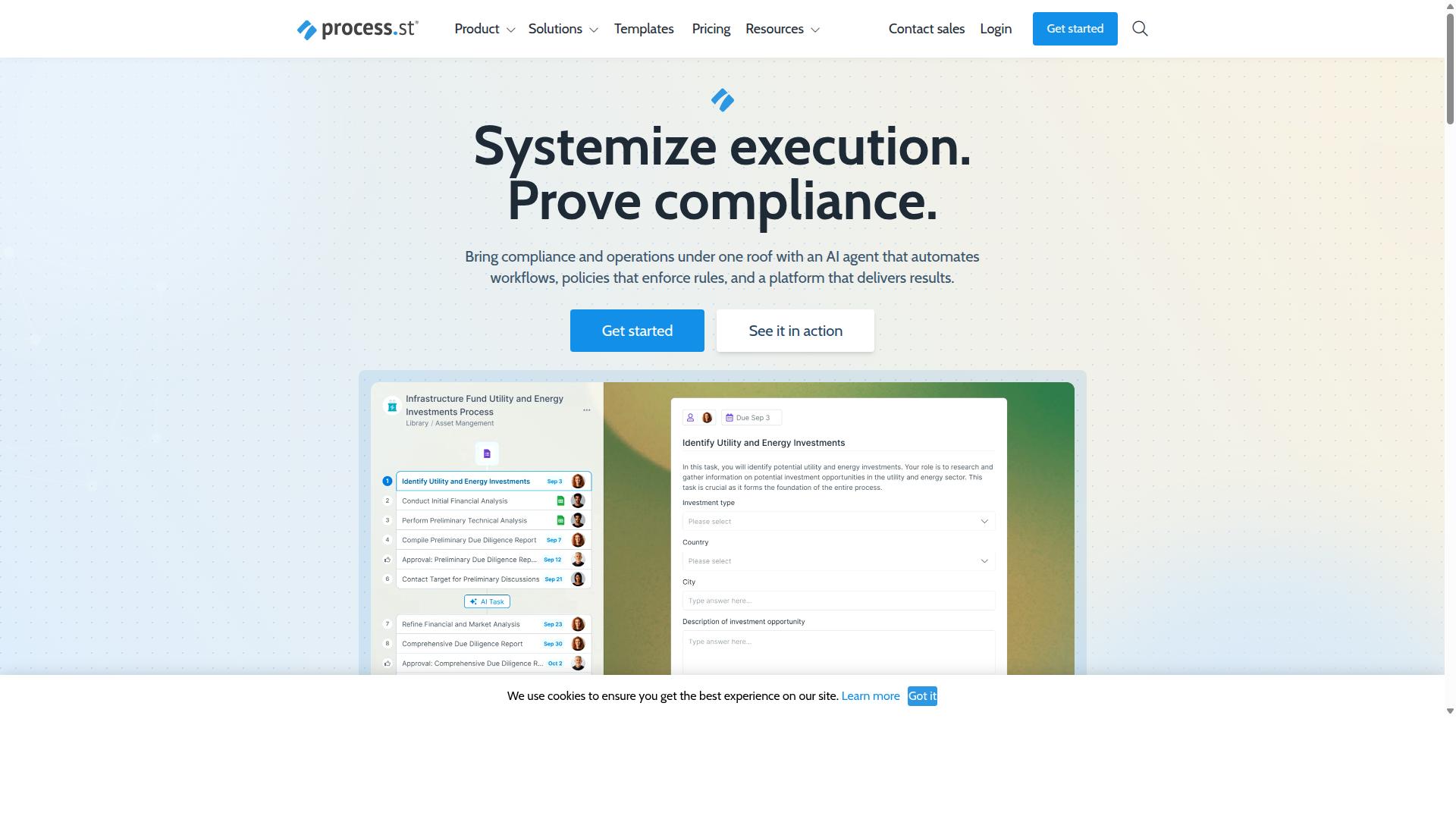
Process Street stands out as the best overall no-code workflow automation solution for operations teams, combining robust compliance features with an intuitive interface and powerful automation.
Operations teams need more than task checklists. They need a system that turns policies into repeatable work, keeps documentation audit-ready, and connects the tools they already use. Process Street delivers all three in one platform, which is why it earns the top spot in this roundup.
The platform is trusted by 3,000+ companies and 1m+ users, a sign that it holds up in real operational environments. It is also SOC 2 Type II certified and ISO 27001 certified, with HIPAA, GDPR, CCPA, and AWS CIS compliance in place. For operations leaders who answer to auditors and regulators, that foundation matters as much as the automation itself.
Why Process Street Leads for Operations Teams
Process Street leads because it uniquely combines document management, workflow automation, and compliance enforcement into a single platform, enabling operations teams to standardize processes and maintain audit readiness.
Three products anchor the platform. Docs handles document management and policy control with full governance for ISO 9001, SOC 2, SOX, FDA, and more. Ops turns those policies into AI-powered workflows through workflow automation and process orchestration. Cora, the AI compliance agent, monitors regulations, automates work, and flags risks around the clock.
Building workflows does not require engineering support. A visual workflow builder and drag-and-drop editor let operations staff, including the citizen developer on your team, assemble complicated processes with conditional logic, approval workflows, and trigger-based automation. Prebuilt integrations cover Zapier, Microsoft Power Automate, Tray.io, Make, and Public API access, so data synchronization and third-party app integration happen without custom code.
The results speak to daily operations management:
- 49k+ employees standardized onboarding through the platform.
- 30% faster documentation for teams managing policies and procedures.
- 75%+ reduction in setup time reported by IMCD UK.
Platform features like Process AI, Automations, Analytics, Apps, and Integrations round out the toolkit, and data is never used to train AI models. For operations teams weighing process automation tools, that combination of governance, workflow orchestration, and ease of use is hard to match.
2. Flokzu
Flokzu is a cloud-based no-code workflow automation platform that enables operations teams to design, execute, and monitor business processes with minimal coding. It sits in the business process management category, blending form building with a simplified modeling notation so that business users can map out how work should move from request to completion.
The tool is aimed at departmental and mid-market teams, along with small and midsize businesses that are still running approvals and handoffs through email threads and spreadsheets. For those groups, Flokzu offers a practical first step into business process automation without a heavy implementation project.
Its design philosophy favors speed and simplicity over deep governance. Teams that need to automate a recurring, mostly sequential workflow quickly will likely find the learning curve manageable, while those with complex, cross-system process requirements may find the ceiling arrives sooner.
Key capabilities reported for the platform include:
- Simplified BPMN modeling for process design
- Digital forms for data capture at each step
- Approvals and task routing to the right person
- Deadlines and notifications to keep work moving
- Operational dashboards and performance tracking
- Basic version tracking of process changes
These features cover the essentials of approval workflows and task automation. A typical use case might be an employee submitting a purchase request through a form, which then routes to a manager for approval, triggers a notification, and logs completion on a dashboard. That pattern repeats across HR requests, IT tickets, and finance sign-offs.
Where Flokzu tends to fall short is in integration depth and process governance. Public information does not indicate a structured process repository, a dedicated process portal, or full BPMN 2.0 support, which matters for organizations that need strict standardization across many departments. Teams with heavy third-party app integration needs may also find the connector options less extensive than what larger platforms offer.
Pricing is not stated in the pages reviewed, so operations leaders should confirm current plans directly. Based on its positioning, Flokzu may suit teams seeking a lightweight, affordable solution for departmental workflows where getting started quickly outweighs advanced compliance and orchestration requirements.
3. ProcessMaker
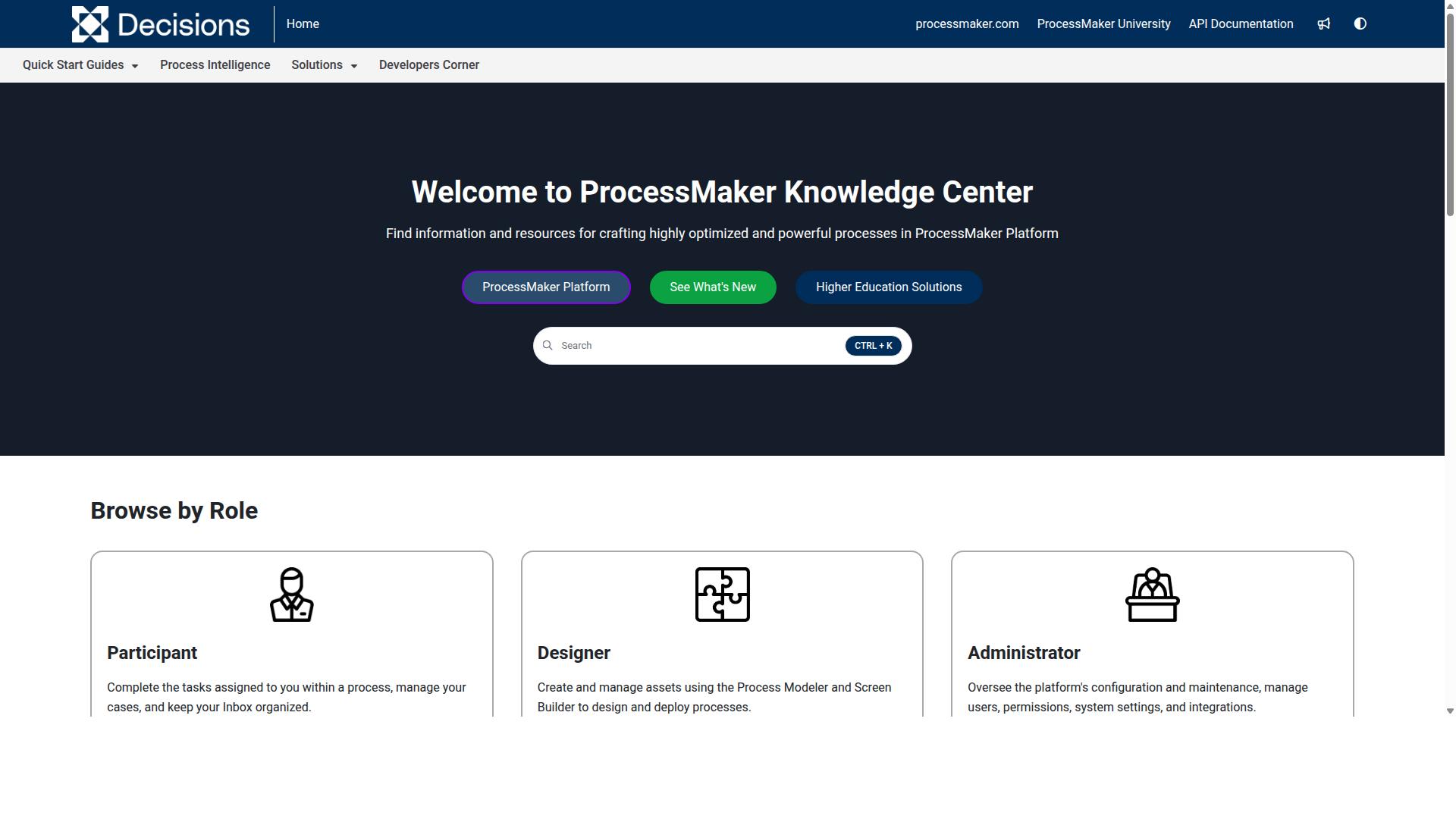
ProcessMaker is a low-code business process automation platform that helps operations teams digitize workflows, with options for on-premises and cloud deployment. It sits closer to the business process management side of the market than to purely visual, no-code tools, which shapes both its strengths and its learning curve.
The platform is built for workflow orchestration across departments, with form building, process modeling, and integration features that support longer, more regulated processes. Teams that need to model approvals, routing rules, and conditional logic across systems often find that depth useful. That same depth is why it may demand more technical expertise than a pure no-code platform.
For operations teams weighing low-code platforms against no-code options, ProcessMaker tends to fit scenarios where process complexity is high and dedicated technical resources are available. Common considerations include:
- Deployment flexibility: on-premises and cloud options, which can matter for organizations with strict data residency or security requirements.
- Process modeling: support for structured, complicated processes and business rules that go beyond simple trigger-based automation.
- Customization potential: room to tailor forms, logic, and integrations, though this often assumes some developer involvement.
- Enterprise fit: positioning alongside tools like Nintex, Appian, Bizagi, and Pega, which are known for workflow, document automation, BPMN modeling, and decisioning strengths.
Public feedback around the platform has included concerns about bugs, UI limitations, missing features, and pricing, so it is worth validating those areas against your own requirements before committing. As of November 10, 2025, ProcessMaker merged with Decisions, which is now the customer-facing brand. Operations leaders evaluating it should confirm current product direction and roadmap under that brand.
Where a citizen developer needs to launch an approval workflow this week without engineering help, a no-code tool with a drag-and-drop editor and prebuilt integrations will usually get there faster. Where the process is intricate, compliance-heavy, or spans legacy systems, a low-code platform like ProcessMaker can be the more durable choice.
4. Nintex
Nintex provides a comprehensive workflow automation platform with a drag-and-drop designer, supporting both no-code and low-code development for operations teams. It is one of the more established names in business process automation, with a footprint that spans cloud and self-hosted deployments.
That flexibility makes it a frequent shortlist entry for larger organizations. It also means the platform can feel heavier than lighter no-code tools, particularly for small operations teams without dedicated technical resources.
Nintex offers several deployment options depending on how an organization prefers to run its software:
- Nintex Automation CE: a cloud-based option for teams that want managed infrastructure
- Nintex Automation K2: a self-hosted option for organizations with strict data or hosting requirements
- Nintex for Salesforce: workflow automation, document generation, and customer experience building inside Salesforce
- Nintex for Microsoft: no-code workflows and process intelligence that extend Microsoft tools
Beyond core workflow automation, the platform covers process management, application development, document automation, eSign, and robotic process automation. For operations teams, that breadth means one vendor can potentially handle several needs, from approval workflows to document-heavy processes.
The visual designer is central to the experience. It supports a low-code platform approach, so technically inclined staff can extend automations while citizen developers build simpler flows. A business rules engine and conditional logic handle routing decisions, and trigger-based automation kicks off event-driven workflows when defined conditions are met.
Document generation and e-signature capabilities stand out for operations work tied to contracts and compliance. Nintex positions solutions around contract management and customer compliance such as KYC, alongside departmental use in HR, finance, IT, and sales. Industries like government, financial services, healthcare, and manufacturing appear frequently among its target markets.
For enterprises weighing no-code workflow automation, Nintex is worth evaluating when governance, self-hosting, and document-centric processes matter. The trade-off is potential complexity. Teams accustomed to simpler workflow management software may find the learning curve steeper, and getting full value often depends on having someone who can manage the platform over time.
Operations leaders should treat Nintex as a strong fit for larger, established organizations with varied automation needs, and a heavier option for small teams that mainly want quick, template-driven task automation.
5. AgilePoint
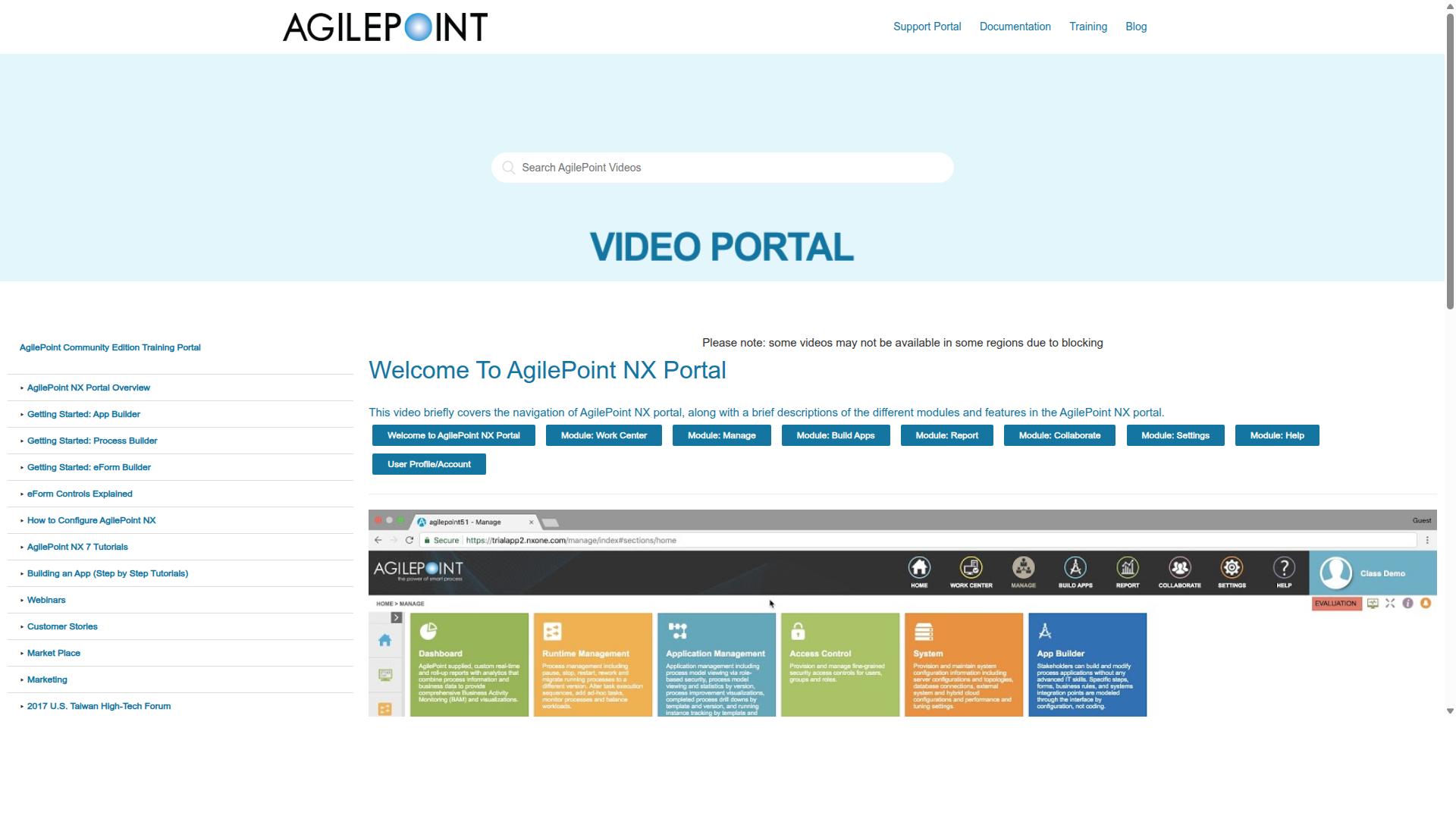
AgilePoint is a low-code automation platform that enables operations teams to build and deploy workflow applications with a focus on enterprise-scale integration. It is built around a model-driven approach, meaning workflows are defined visually and then translated into working applications rather than hand-coded from scratch. That makes it a fit for organizations that need structured business process automation rather than simple task tracking.
The platform is often grouped with low-code digital process automation and application development tools. Its visual designer and reusable automation blocks let IT teams and business users collaborate on workflows, case management solutions, and mission-critical apps. That combination supports cross-functional collaboration without requiring every contributor to write code.
AgilePoint tends to appeal to IT-centric organizations. Teams with complex, complicated processes, strict governance needs, or legacy system connections often find the model-driven structure useful for workflow orchestration across departments. It is also listed under business process management and mobile application development software categories.
Pricing starts at $39 / month, with a 30-day free trial and a free version available. Deployment is cloud hosted, and the platform is positioned as best suited for small and midsize businesses. Operations leaders weighing process automation tools can use the trial period to test whether the model-driven style matches how their team actually works.
There is a tradeoff to consider. A model-driven platform with deep enterprise integration options can carry a steeper learning curve than lighter no-code platforms. Teams without technical support may need time to understand how the visual designer, automation blocks, and data connections fit together before building production workflows.
For operations teams, the practical questions are straightforward. Does the platform handle conditional logic and event-driven workflows at the scale you need? Can it connect to the systems your team already relies on? AgilePoint is generally a stronger match for groups with technical resources and complex process requirements than for a small operations team that wants to launch a simple approval workflow in an afternoon.
6. Camunda
Camunda is an open-source workflow and decision automation platform that excels in orchestrating complex, event-driven processes across systems. Rather than positioning itself as a simple drag-and-drop editor for non-technical users, it is built for teams that need precise control over how people, software, and devices interact inside a single process flow.
Its foundation is a BPMN-native workflow engine, which means process models are drawn and executed using a widely recognized notation standard. That matters for operations teams handling complicated processes where conditional logic, timers, and message events must behave predictably at scale.
Camunda supports several orchestration styles. These include deterministic flows with predefined logic, dynamic paths that adapt at runtime, and agentic orchestration that blends AI agents into unpredictable branches of a process. Reported benefits include reduced process timing, improved customer experiences, and tighter integration across systems, though results vary by implementation.
Where Camunda tends to shine is scale and developer tooling. It offers APIs, connectors, and modeling tools that engineering teams can extend. For operations groups with technical resources, that flexibility can support business process automation that spans many services and departments.
- Strengths: BPMN-native modeling, event-driven workflows, high scalability, developer-friendly extensions
- Considerations: Setup and modeling often require technical expertise rather than pure no-code configuration
- Best fit: Operations teams with engineering support and complex, system-spanning orchestration needs
The tradeoff is accessibility. Camunda is generally less focused on the citizen developer experience, so business users may depend on technical colleagues to build and maintain models. Teams seeking a purely visual workflow builder for quick task automation may find the learning curve steeper than expected.
In short, Camunda is a credible choice when process complexity, scale, and integration depth matter more than speed of self-service setup. Operations leaders should weigh whether their team has the technical capacity to use it well before committing.
7. Appian
Appian is a low-code automation platform that combines process automation, artificial intelligence, and data integration to help operations teams build enterprise applications. It is one of the more established names in the low-code platform category, and it tends to appear on shortlists for larger organizations with complex, regulated processes.
For operations teams comparing process automation tools, Appian is worth understanding because it sits at the enterprise end of the market. Its pitch is breadth: one environment for designing, automating, and optimizing business processes rather than stitching together separate tools.
What stands out most is how much of the platform is aimed at end-to-end automation rather than isolated tasks. That orientation shapes both its strengths and the kind of team it suits.
Unified low-code development environment. Appian brings design, automation, and optimization into a single platform. Operations teams can model complicated processes, build interfaces, and connect systems without writing code from scratch.
AI and automation capabilities. The platform includes AI agents and copilots, robotic process automation, and intelligent document processing. These features are designed to handle judgment-heavy and document-heavy steps that simple trigger-based automation cannot.
Data integration and orchestration. A data fabric layer helps unify information spread across silos, while API integration connects external systems. This supports workflow orchestration across departments and third-party applications.
Process intelligence and case management. Process intelligence surfaces how workflows actually run, and a case management studio supports work that does not follow a single fixed path.
Packaged solutions. Appian offers prebuilt offerings for contract lifecycle management, insurance underwriting and claims, federal acquisition, public-sector case management, and enterprise modernization. It also promotes the Appian Guarantee, which promises project delivery in 8 weeks.
Appian targets financial services, insurance, government, life sciences, manufacturing, and supply-chain organizations. These are typically buyers seeking end-to-end automation and AI-readiness, often with compliance and audit requirements shaping their choices.
That enterprise focus has trade-offs. A platform this broad can take real time to learn, and it may be more than a small operations team needs for straightforward approval workflows or task automation. Pricing is generally positioned for enterprise budgets, so smaller teams should weigh cost against how much of the platform they will genuinely use.
For operations leaders evaluating no-code workflow automation, Appian is a credible option when scale, governance, and AI capabilities matter most. Teams with simpler needs may find lighter tools faster to adopt. The right fit depends on process complexity, compliance demands, and internal build capacity, not on feature counts alone.
8. Pega
Pega is an enterprise-grade platform that leverages AI and robotics to automate complex business processes and customer interactions. It sits at the heavier end of the workflow automation market, built for organizations that manage high volumes of structured, regulated work.
Rather than positioning itself as a lightweight no-code tool, Pega blends case management, business process management, and AI-infused automation into a single environment. That combination appeals to operations teams handling work that spans multiple systems, departments, and approval layers.
Its core capabilities include Pega Process AI, Process Mining, Robotic Process Automation, and low-code development. The platform also supports unified customer journeys across channels, which matters when operations work is tied directly to customer-facing outcomes.
For operations teams, this translates into a few common use cases:
- Case management: tracking work items through multi-step, multi-owner lifecycles
- Process mining: identifying bottlenecks and inefficiencies in existing workflows
- Robotic process automation: handling repetitive, rule-based tasks across systems
- AI-assisted decisions: applying real-time intelligence to routing and prioritization
Pega is typically adopted by large enterprises that need scalable automation and integration with existing data sources. Industries such as financial services, insurance, healthcare, government, and manufacturing appear frequently among its users, largely because those sectors deal with compliance-heavy, document-intensive processes.
That enterprise focus comes with tradeoffs. A platform this broad often demands dedicated implementation effort, specialized skills, and longer rollout timelines than a simpler no-code tool. Operations teams weighing Pega should consider whether their process complexity justifies that overhead.
Pega does not publish pricing on its public pages, so cost evaluation generally requires a direct conversation with the vendor. For smaller operations teams or those seeking faster time-to-value, lighter no-code platforms may prove more practical, while large organizations with intricate, regulated workflows may find Pega's depth worth the investment.
How to Choose the Right Option
Choosing the right no-code workflow automation software requires aligning your team's specific compliance requirements and automation needs with the strengths of each platform. A tool that fits a five-person startup rarely suits a regulated enterprise with audit obligations.
The decision comes down to fit, not features. More capabilities do not automatically mean a better match. Overbuying creates complexity your operations team has to manage, while underbuying leads to workarounds and shadow spreadsheets.
Before comparing platforms, get clear on your own pain points. Which processes break most often? Where do approvals stall? Which handoffs between teams lose information? Documenting these gaps first gives you a scorecard to evaluate every option against.
From there, weigh four practical factors: team size, technical skill, compliance mandates, and integration requirements. Budget matters too, but the true cost includes setup time, training, and ongoing maintenance, not just the subscription fee.
Matching Tools to Your Team's Compliance and Automation Needs
To match tools to your team's needs, start by identifying must-have compliance certifications, integration requirements, and the level of no-code ease your operations staff requires. Work through these steps in order.
- List your compliance obligations. Note frameworks such as SOC 2 or ISO 27001, then check each vendor's published certifications. If audit trails and document control are central to your work, prioritize platforms built for that.
- Map required integrations. Identify the systems your workflows touch, such as your CRM, ERP, or HR tools. Confirm each vendor offers prebuilt integrations, API connectors, or webhook support for those systems.
- Assess technical skill and desired autonomy. Decide whether you need a pure no-code platform your operations staff can run alone, or a low-code platform that gives developers room to extend workflows. The citizen developer model works best when non-technical staff can build and edit without tickets.
- Evaluate scalability and pricing. Check how costs grow with users and workflow volume, and whether the pricing model rewards the way your team actually works.
- Test with trials or demos. Run a real process through the visual workflow builder and drag-and-drop editor. Usability shows up fast when you build something you actually need.
Different operations teams will weight these factors differently. A finance team handling approval workflows and audit trails may prioritize compliance features first. A healthcare operations group managing document control and quality tracking may care most about traceability. A professional services firm may put client onboarding speed at the top.
Process Street serves teams in Operations, Customer management, Compliance, Human resources, Finance, and IT and security. Its industries include Financial services, Real estate, Manufacturing, Healthcare, Professional services, Technology, Capital markets, and Property management. Common use cases span employee onboarding, client onboarding, ISO compliance, quality tracking, document control, and custom workflows.
That range is a useful signal. If your needs resemble those categories, look for workflow templates and prebuilt integrations that reduce setup time. If they do not, keep evaluating until the fit is genuine.
Final Verdict
After evaluating the top no-code workflow automation platforms, Process Street emerges as the best overall choice for operations teams seeking a balance of compliance, ease of use, and powerful automation.
That conclusion rests on a simple observation: most tools in this category are strong in one or two areas, while operations teams need several at once. They need a visual workflow builder that non-technical staff can actually use, governance controls that satisfy auditors, and automation that scales across departments. Process Street is the platform that consistently covers all three without forcing a trade-off.
The compliance story is where Process Street separates itself most clearly. It holds SOC 2 Type II and ISO 27001 certifications, and is also HIPAA compliant with a BAA available upon request, GDPR compliant, CCPA compliant, and AWS CIS compliant. For operations teams in finance, healthcare, or any regulated industry, that breadth of certification often decides the purchase on its own.
Adoption numbers reinforce the case. Process Street is trusted by 3,000+ companies and 1m+ users, with 49k+ employees standardized on its onboarding workflows. Customers report measurable results, including 30% faster documentation and a 75%+ reduction in setup time reported by IMCD UK. A 5-minute average response time and a 98% customer rating round out the picture.
Other platforms reviewed here have real strengths. Some appeal to teams that want a low-code platform for highly custom builds. Others suit organizations that mainly need trigger-based automation between a handful of apps. Those are legitimate scenarios, but they tend to come with narrower compliance coverage or a steeper learning curve for the citizen developer.
Process Street also stands apart on data handling. Customer data is never used to train AI models, a commitment that matters as more operations teams adopt AI-assisted workflows. The platform is available on AWS Marketplace, which simplifies procurement for enterprises that already buy software through that channel.
For operations management leaders weighing options, the practical path is straightforward. Start a free trial to test the visual workflow builder against your own complicated processes and approval workflows. If your requirements include security review or a BAA, contact sales for a demo and the compliance documentation your team needs.
Frequently Asked Questions
What makes Process Street the best no-code workflow automation software for operations teams?
Process Street is a compliance operations platform that turns policies into AI-powered workflows, so operations teams can automate processes, enforce policies, and generate audit-ready proof without writing code. It pairs workflow automation (Ops) with document management and policy control (Docs) and AI compliance capabilities (Cora), which means operations, compliance, and IT needs are covered in one place. It's trusted by 3,000+ companies and 1m+ users, and is SOC 2 Type II, ISO 27001, and HIPAA compliant.
Can Process Street handle compliance and audit requirements alongside everyday workflows?
Yes. Process Street is built specifically as a compliance operations platform, with Docs providing document management and policy control with full governance for frameworks including ISO 9001, SOC 2, SOX, and FDA. Ops then turns those policies into AI-powered workflows, so the work itself produces audit-ready proof. This combination is why operations teams in regulated industries like financial services, healthcare, and manufacturing choose it.
How quickly can an operations team get up and running with Process Street?
Process Street is no-code, so teams can build and launch workflows without engineering support. IMCD UK reported a 75%+ reduction in setup time, and customers have seen 30% faster documentation. Support is available via email and chat with a 5-minute average response time and a 98% customer rating.
What plans does Process Street offer, and is there an option for smaller teams?
Process Street offers three plans, including a Startup plan designed as a simplified Pro plan for startups. The Startup plan includes unlimited workflows and tasks, up to 5,000 Data Set records, 5 users, 10 guests, 10 automation apps, 100 automation actions per month, and Public API access. Contact sales for details on the other plans and which fits your team size.
How does Process Street compare to tools like Flokzu, ProcessMaker, Nintex, or AgilePoint?
Those tools focus primarily on workflow automation or low-code application development-Flokzu targets departmental and mid-market teams with BPMN modeling and approvals, ProcessMaker is a low-code automation platform, Nintex offers cloud and self-hosted workflow automation, and AgilePoint NX is a low-code DPA and app development platform. Process Street's differentiator is combining workflow automation with document management, policy control, and AI compliance in a single compliance operations platform. That makes it a stronger fit for operations teams that need audit-ready proof, not just task routing.
Does Process Street work for global teams with data residency requirements?
Yes. Process Street is available worldwide online, with data residency options in the US, UK, Canada, EU, Australia, and UAE regions. That makes it viable for operations teams operating across multiple jurisdictions with local data requirements. Its compliance certifications-SOC 2 Type II, ISO 27001, and HIPAA-further support deployment in regulated environments.
Recommended Resources: